Internal Research Ops Tool
Overview
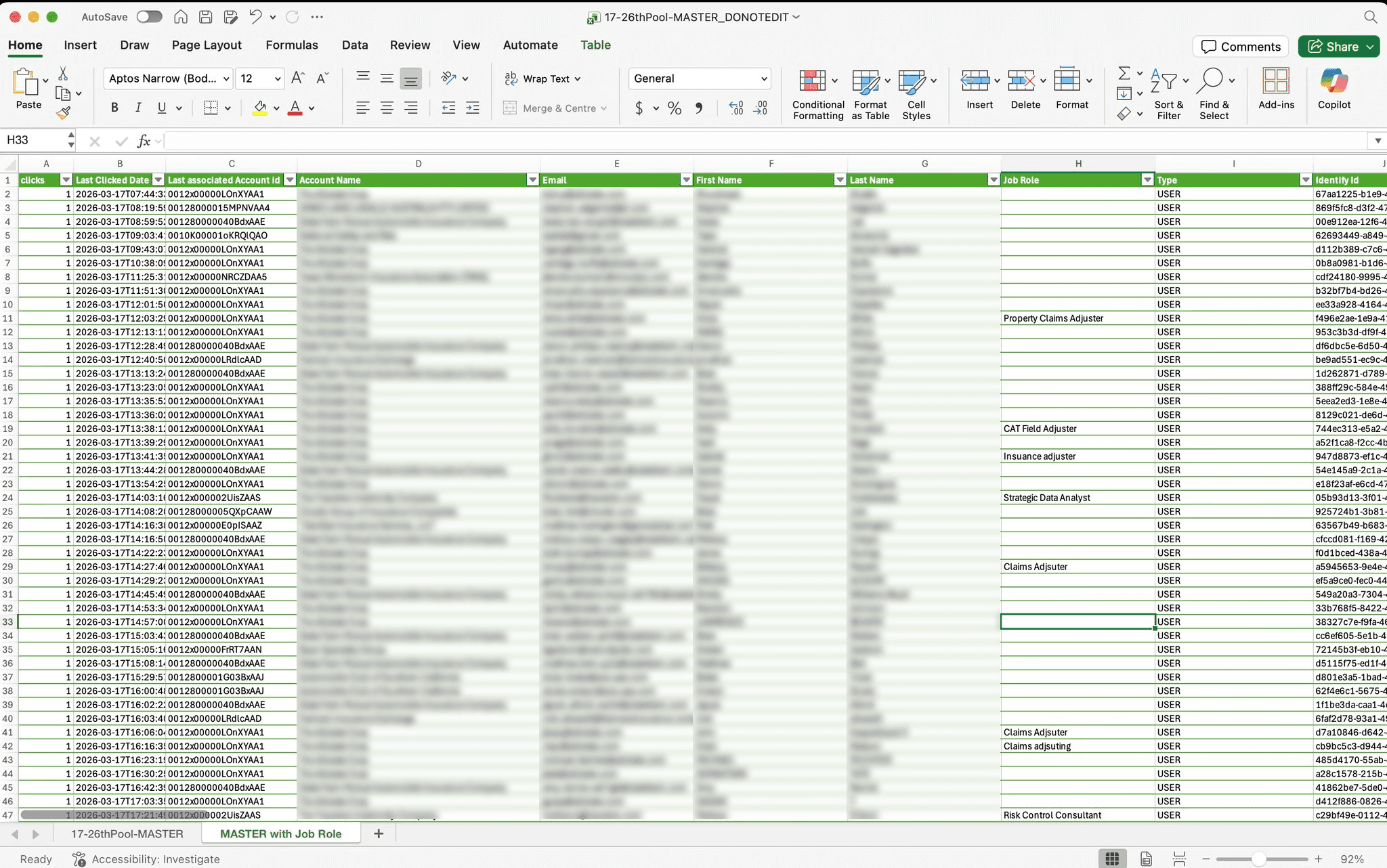
Nearmap had launched an in-product recruitment initiative inside MapBrowser, allowing users to opt into future research. This created a valuable participant pool, but the UX researchers were still managing it through a bloated spreadsheet. I designed and built a tailored internal tool to help them manage participants more effectively, reduce admin, and save time.

Why this mattered
The research team already had a growing pool of research participants, but important information was buried in a spreadsheet, key fields were incomplete, and there was no tailored workflow for tracking outreach, ownership, or participant value. The opportunity was not just to organise data, but to give the researchers a faster and more usable way to manage their panel.
How I approached it
Once I saw the opportunity, I quickly mocked up an early concept and showed it to the researchers to test whether a tool like this would actually be useful. The response was very positive, which led to a workshop where we mapped out the pain points in their current panel-management workflow and defined what they needed from a better tool.
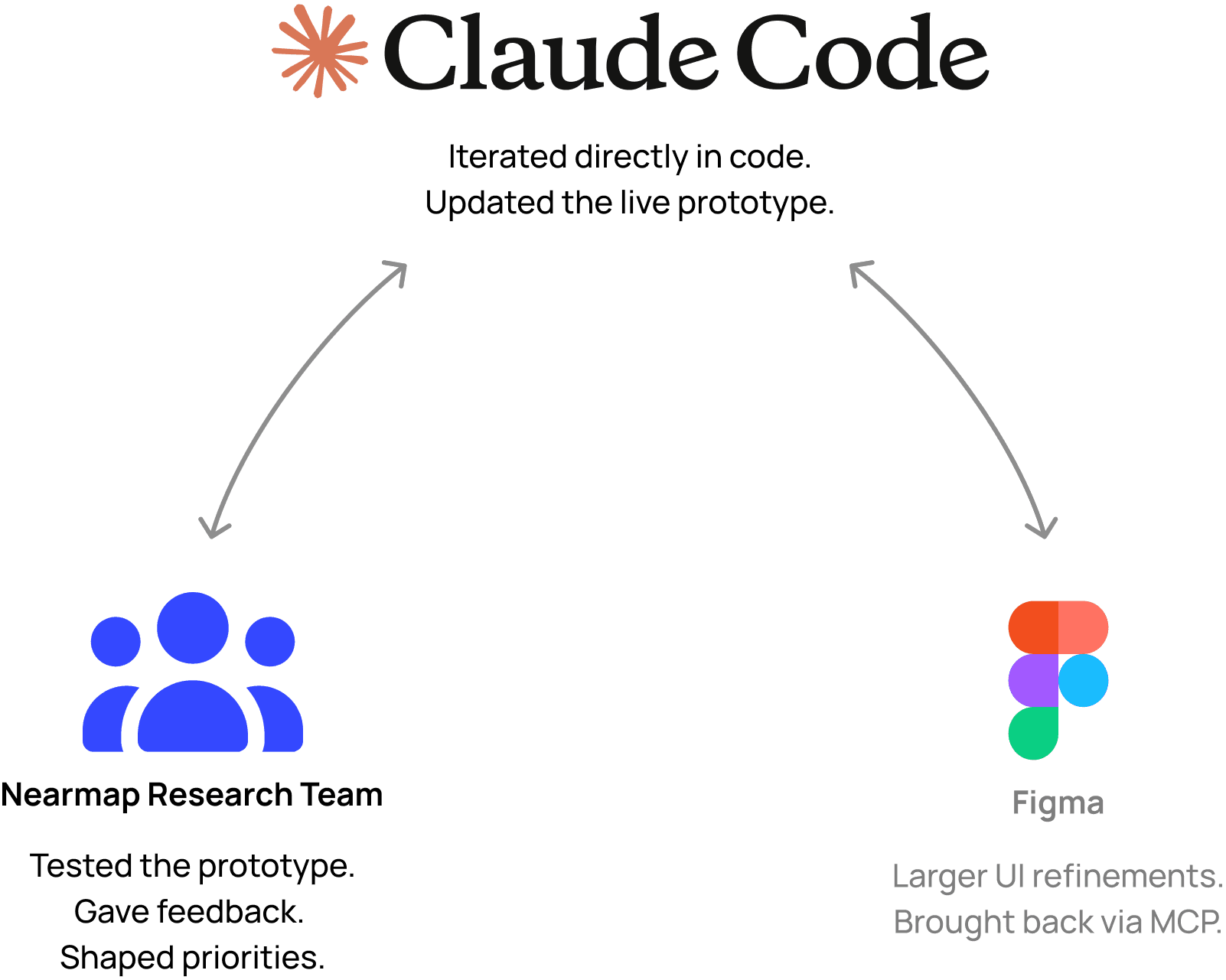
From there, I worked in very fast feedback loops. I made changes directly in a live Claude Code prototype, the researchers tested it, gave feedback, and I iterated. I worked almost entirely in Claude Code, occasionally jumping into Figma to refine specific visual details before bringing those decisions back into the build.
The solution
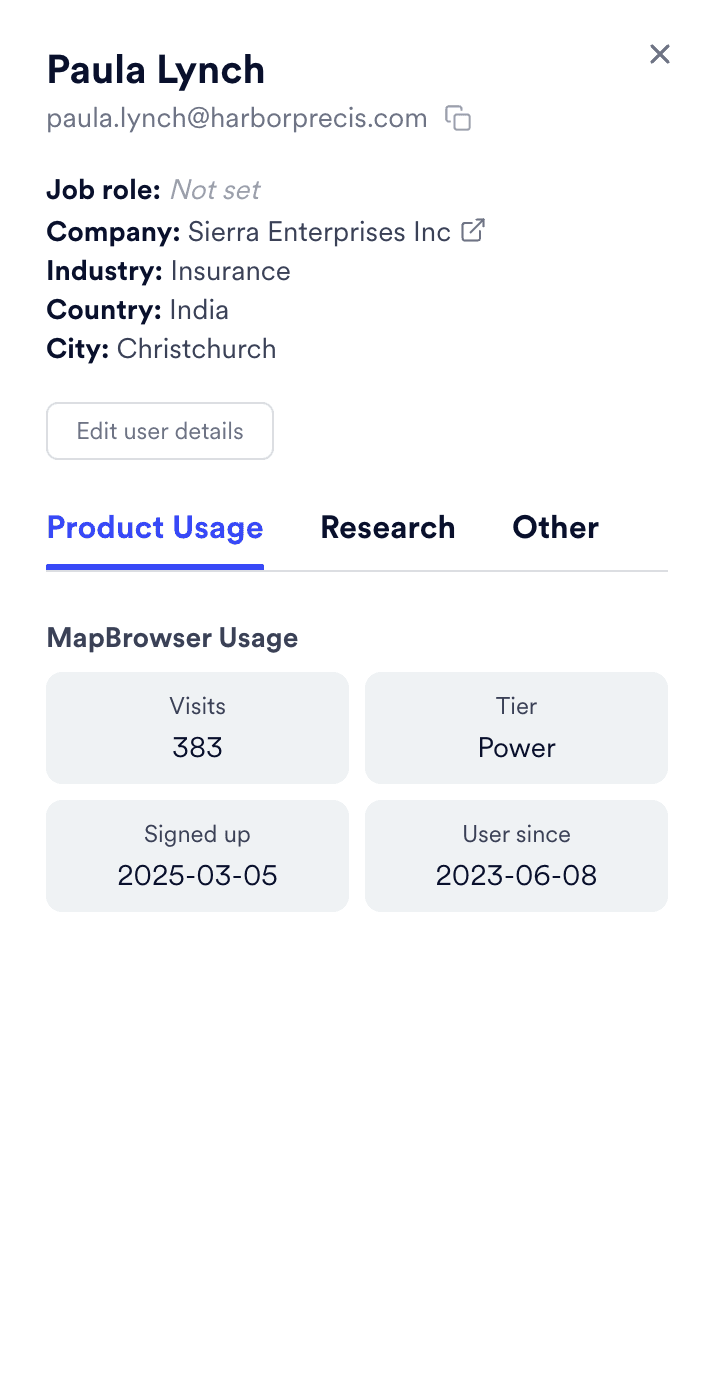
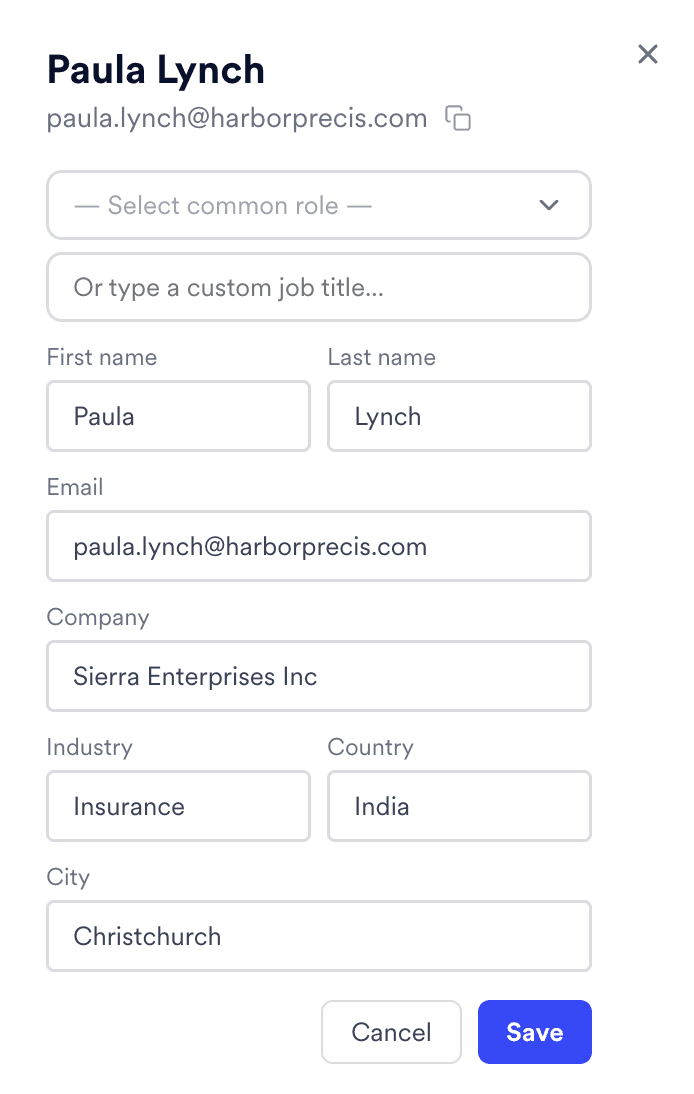
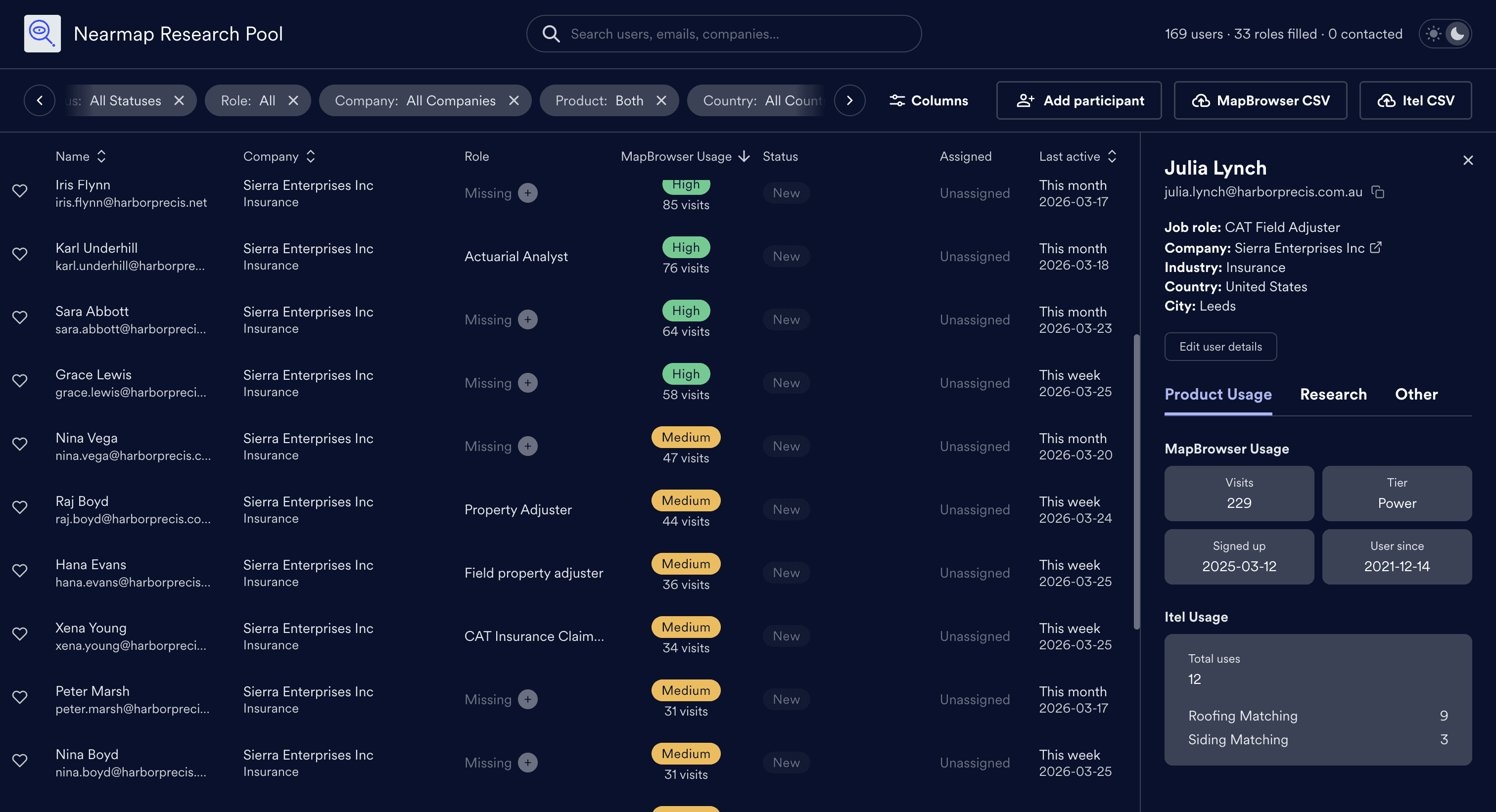
The core experience was a shared participant table with a detailed side panel. Researchers could quickly scan, filter, and search the pool, then open a participant to update role, status, notes, ownership, and linked research records. I used the existing data to surface more useful signals like usage tiers and recency, helping the team identify stronger participants more easily.
I later expanded the tool by bringing in Itel usage data as well, turning it from a single-product participant list into a richer cross-product profile.
Prototype Walk Through
Particpant Panel: See product usage, assign research actions, add tags and notes


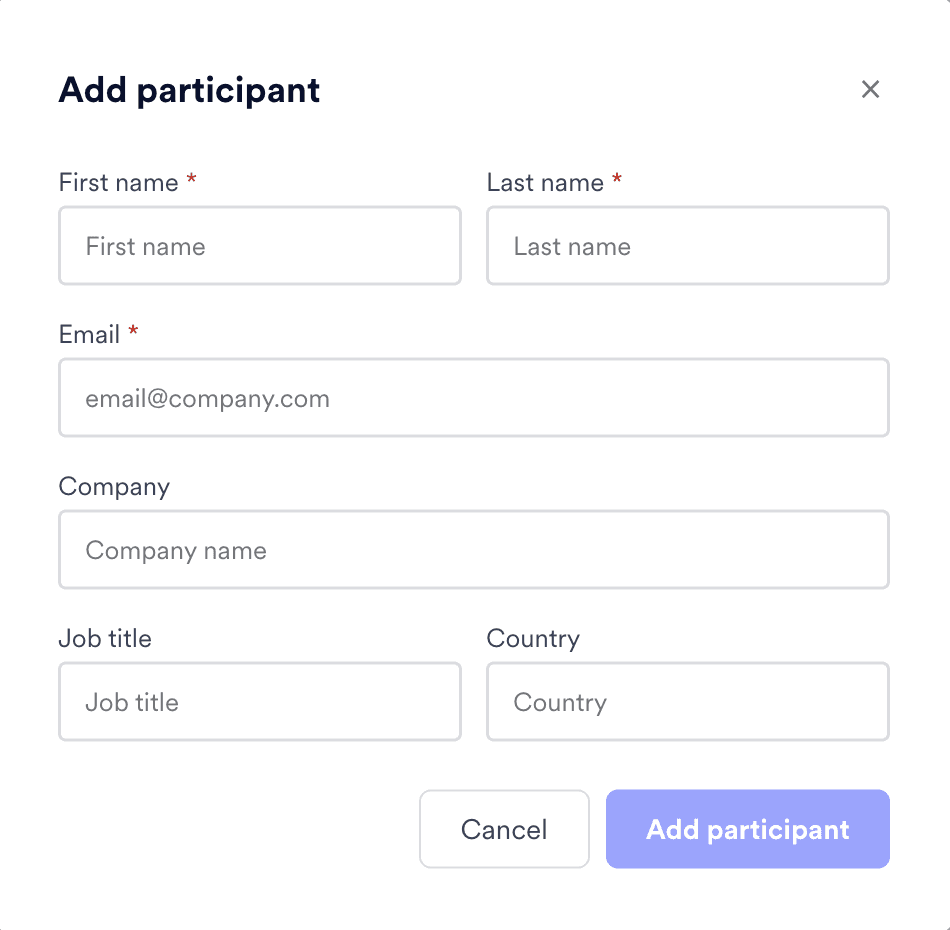
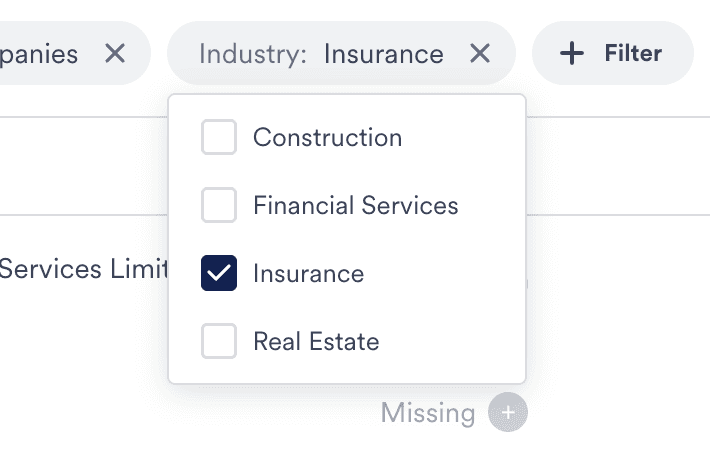
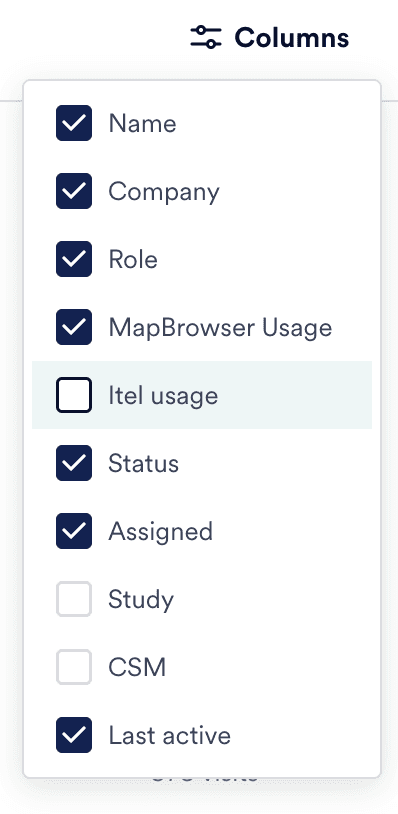
Add participants manually, edit participant profiles, add/ remove columns, filter content
Dark mode
Outcome
I built the tool myself using Claude Code and Supabase. The project was uploaded to GitHub and I received guidance from Nearmap’s Developer Operations team. Because the prototype was being tested continuously as I worked, the final tool already reflected the researchers’ real needs by the time it was ready.
It was adopted immediately and introduced into their workflow, replacing a slower spreadsheet-based process with a more tailored and efficient experience. The project saved the team time and showed me how much AI-enabled tooling has changed what a designer can independently take on.